Support
Frequently Asked Questions
Answers about installation, privacy, compatibility, and how Eat My Cookies works. This page is also the best place to contact support.
Common Questions
These answers cover the most common questions from Chrome Web Store visitors and current users.
Yes, free to use. Donations are appreciated but never required.
No. Eat My Cookies has no backend, no analytics, and no account system, so it does not send your browsing activity or consent settings to Eat My Cookies servers. On supported sites, the extension may still use the site's own consent platform flow to apply your choice.
Custom mode lets you choose category-level behavior for Functional, Analytics, Advertising, and Uncategorized or custom purposes, instead of using one global accept-all or reject-all rule.
The CCPA switch tells supported US privacy flows to opt out of selling or sharing personal data. You can keep it enabled for a stricter privacy posture or turn it off if you want a less restrictive CCPA choice.
Yes. You can reopen the extension popup at any time and change theme, cookie preference, Custom categories, language, and CCPA handling from the popup or its settings view.
Open the extension popup and use the language selector. If the icon is not pinned, open Eat My Cookies from Chrome's Extensions menu first, then use the selector or the settings gear.
When language is set to Auto, the extension follows your browser UI language and uses matching localized consent labels when that locale is supported.
Yes. Your selected preference, Custom settings, CCPA choice, and language setting are stored by the extension and reused across the popup and consent handling.
It covers all major consent platforms and is actively maintained. Some sites with paywall-style consent flows are surfaced with a transparent warning instead of being silently handled.
It navigates the actual consent flow and records your preference with the site's consent platform. The goal is to save the right choice, not just remove the banner from view.
Yes. It handles consent flows for US publishers under CCPA, EU publishers under GDPR, Brazilian publishers under LGPD, and Canadian publishers under PIPEDA and Quebec's Law 25.
Yes. MIT licensed. Source code is on GitHub at github.com/eatmycookies-dot-net/eat-my-cookies.
Click the Eat My Cookies icon in your toolbar and tap “Disable on this site”, or right-click the page and choose Eat My Cookies → Disable on this site from the context menu. To re-enable, use either method again — the option changes to “Re-enable on this site”. For screenshots of both methods, see the illustrated guide below.
How to disable on a specific site
Two ways to pause the extension on any domain — useful when a site breaks or requires cookie acceptance.
Method 1 — From the popup
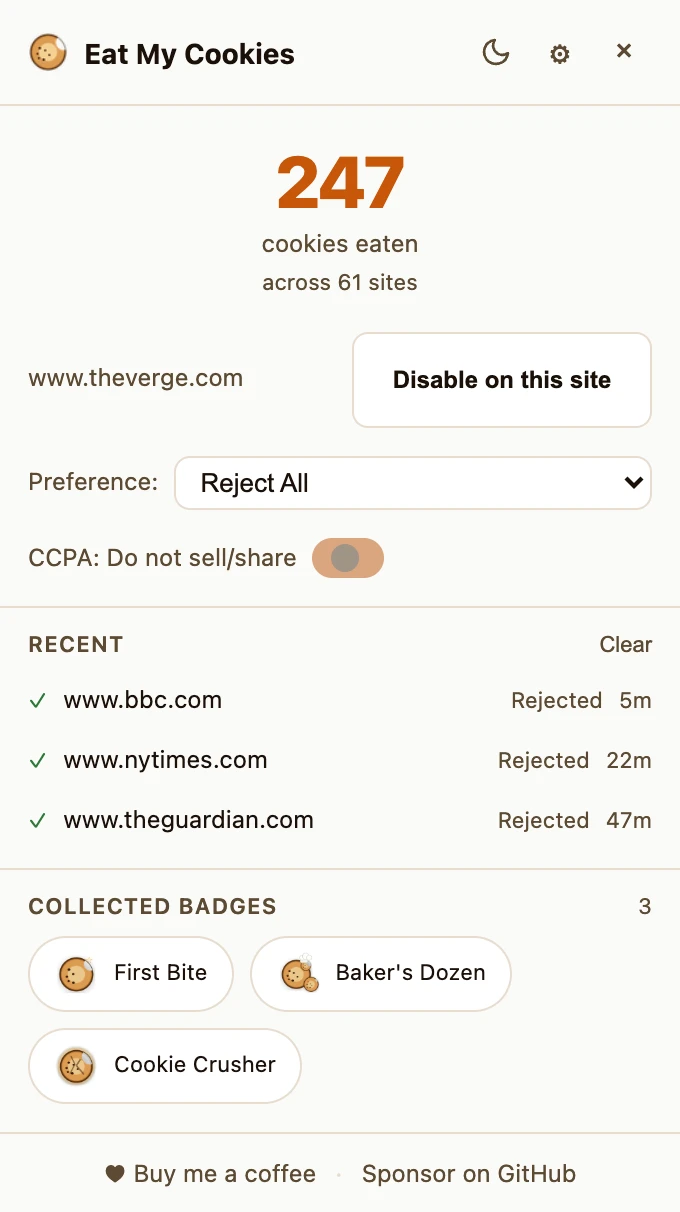
Click the Eat My Cookies icon in your Chrome toolbar to open the popup. You'll see a "Disable on this site" button next to the current domain. Click it to pause the extension. To re-enable, open the popup again — the button changes to "Re-enable on this site".
Method 2 — From the right-click menu
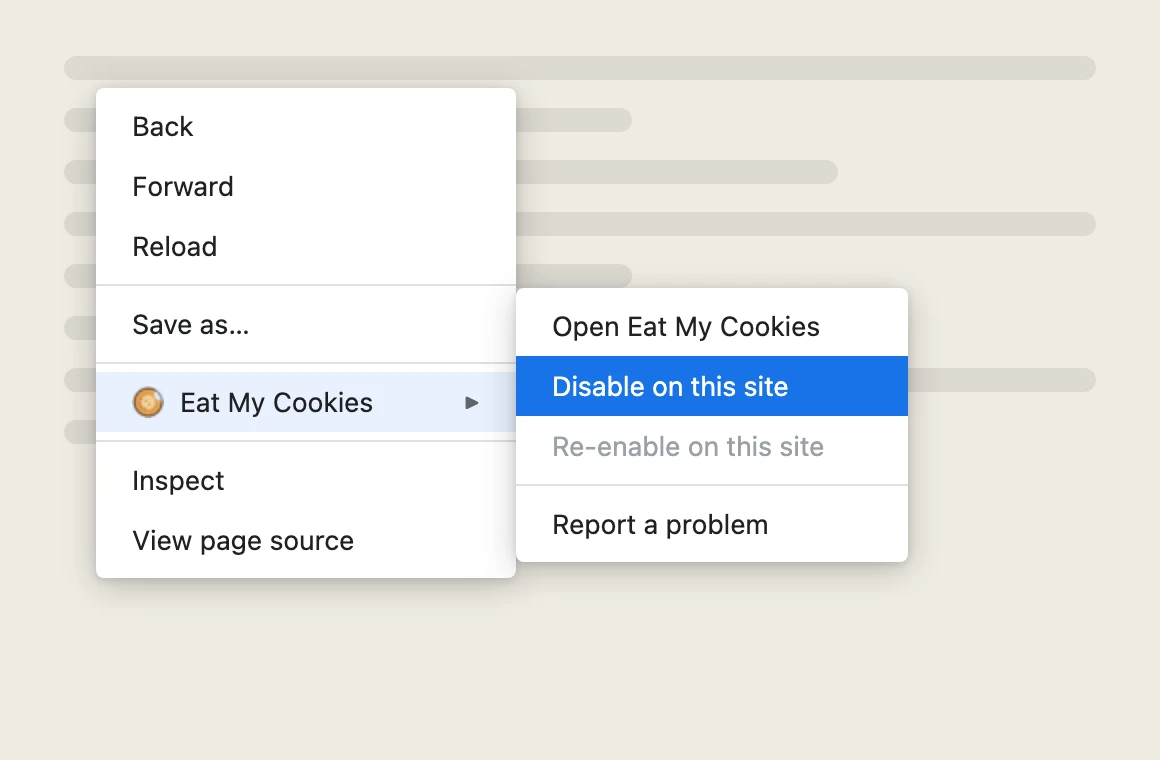
Right-click anywhere on the page to open Chrome's context menu. Hover over "Eat My Cookies" to reveal the submenu, then click "Disable on this site". To re-enable, right-click again and choose "Re-enable on this site" from the same submenu.
Need help or have a listing question?
If you need support with installation, site compatibility, privacy, or Chrome Web Store issues, email us directly. For privacy-specific details, you can also review the privacy policy. If you have not installed the extension yet, start with the setup guide.
Still researching?
If you want a deeper technical explanation, the architecture page explains how Eat My Cookies interacts with consent platforms and when it shows transparent warnings instead of pretending success.